



Website Design Priorities & Must-Have Features for Destination Meetings Marketing

Published: September 23, 2025
Share on LinkedIn Share on Twitter Share on Facebook Click to print Click to copy url
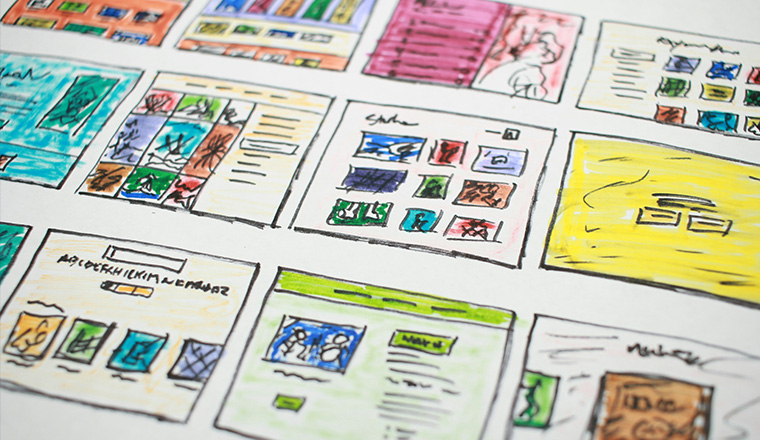
Meeting planners are looking for the information they need to defend destination site selection internally and plan great meetings.
Your meetings website has one job: reduce uncertainty and move planners to action. That means a fast, accessible experience, content that’s easy to discover (including in AI-assisted search), and clear conversion paths for every type of planner and stakeholder.
Here are five non-negotiables to prioritize if you want your meetings marketing site to function as a true decision-support tool.
1. Mobile-First, Task-First Design
Meeting planners are constantly moving between devices. Your site should feel built for their workflow, not your org chart.
Key considerations for mobile-first design:
- Touch-friendly navigation: Buttons, filters, and links should be easy to tap—no precision clicking required.
- Task-first paths: Use large, easily clickable buttons and straightforward navigation to make it simple to find venues, group hotels, and key specs fast.
- Mobile-friendly RFP submissions: Your RFP form must work cleanly on mobile. If a planner can’t submit from a phone, you’re creating avoidable friction.
2. Planner-First Navigation and On-Site Search That Works
Planners come to your site with a mission: “Can this destination handle my meeting, and what will it take to book it?”
Key considerations for navigation and search:
- Sticky navigation: Keep primary navigation visible as users scroll, especially on long venue and planning pages.
- Real search functionality: Make search easy to find and useful. If it can’t quickly surface venues, hotels, and planning resources, it’s decorative—not functional.
- Breadcrumbs and clear page structure: Help planners understand where they are and how to move between related content without backtracking.
3. AI-Assisted Discovery Readiness
Planners increasingly discover destinations through AI summaries and search experiences that pull from clear, structured web content. If your content is vague, buried, or written like a brochure, you won’t show up—or you’ll show up inaccurately.
Key considerations for AI-ready content:
- Write in direct answers: Use short, scannable sections that address planner questions head-on (capacity ranges, walkability, transportation, seasonality, comps).
- Use strong headings and page structure: Clear H2/H3s improve accessibility and help both humans and machines understand the page.
- Publish decision-support FAQs: Answer what planners ask when they’re comparing destinations, not what we wish they asked.
- Keep details current: Outdated specs and stale PDFs get recycled by AI systems and undermine credibility.
4. Clear Conversion Paths, Not Just CTAs
A CTA isn’t strategy. A conversion path is. Your meetings site should guide planners to the next step based on intent, not force everyone through a single “Contact Us” door—whether it’s submitting an RFP or downloading a planning guide.
Key considerations for conversion paths:
- Next steps on every key page: “Submit an RFP,” “Contact Sales,” and “Download Specs” should be obvious and consistent.
- Short, low-friction forms: Ask only what you need to route the inquiry. Long forms lower completion rates.
- Useful gated assets (sparingly): Offer planner tools worth exchanging an email for—templates, one-pagers, or sample agendas. If it’s not genuinely helpful, don’t gate it.
- Follow-up built into the system: Make sure submissions trigger fast, consistent responses and internal routing
5. Accessibility and Speed Are Baseline Credibility
A slow or inaccessible site doesn’t just lose traffic; it signals operational risk. Planners notice.
Key considerations for performance and accessibility:
- Optimize page speed: Compress images, reduce bloat, and prioritize performance on the pages that drive RFPs.
- Test routinely: Use tools like PageSpeed as a regular check, not a one-time project.
- Meet accessibility standards: Keyboard navigation, readable contrast, alt text, and screen-reader-friendly structure are not optional. Accessibility is part of service.
Bonus: Stakeholder Content That Helps Planners Sell the Destination
The planner isn’t the only decision-maker. Your site should include assets planners can forward internally without rewriting your pitch.
Stakeholder content considerations:
- Budget guidance (even directional ranges) and what impacts cost
- Risk and logistics basics (transportation, safety, walk times, seasonality)
- Specs and floor plan access without dead ends
This is where websites stop being brochures and start closing business.
Start With a Meetings Website Audit
If you need an audit of your destination meetings website from a planner’s perspective and a prioritized plan to turn it into a decision-support experience, Go Fish Tourism + Business Events can help. We’ll identify what’s slowing you down, what’s blocking conversions, and what content you need to support sales.