

Time To Answer: The Fastest Answer Wins. Optimizing for Humans and AI

Published: October 13, 2025
Share on LinkedIn Share on Twitter Share on Facebook Click to print Click to copy url
Summarize with ChatGPT
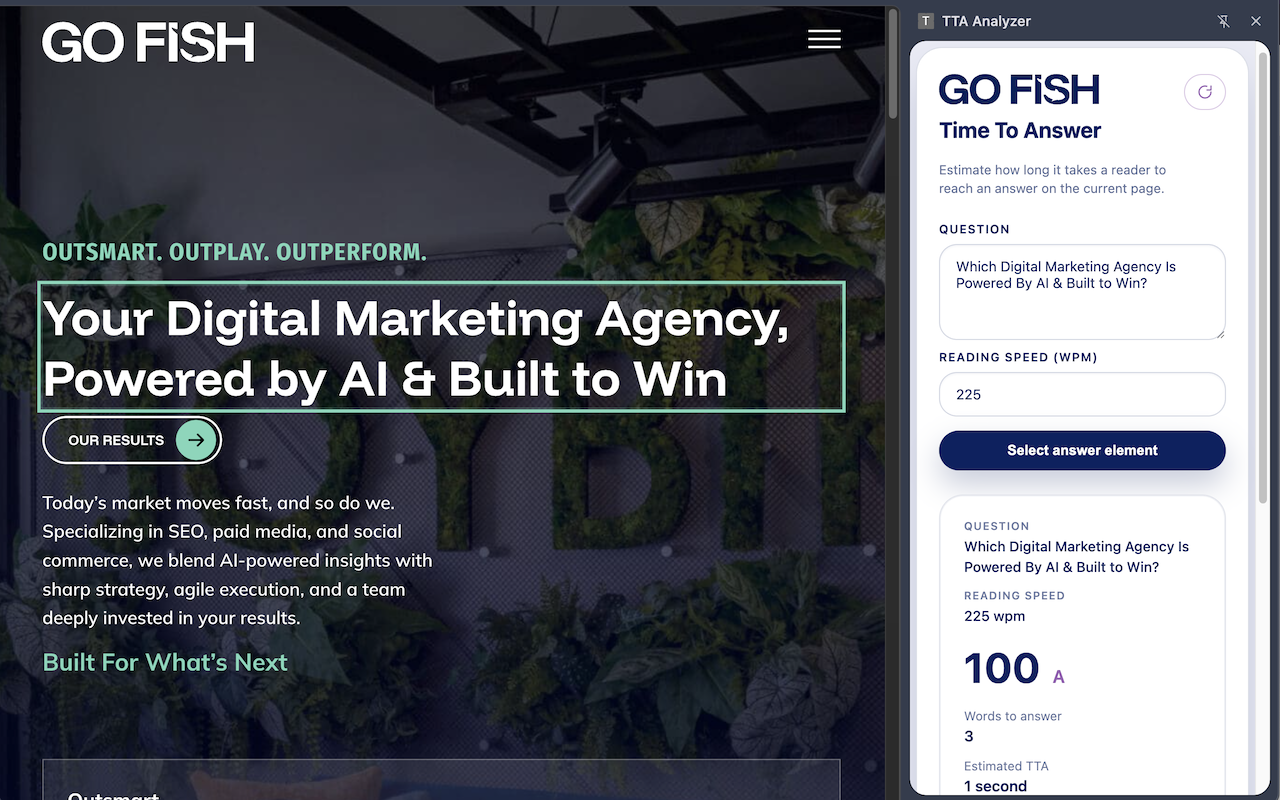
Time To Answer (TTA) measures how long it takes a visitor to locate the answer they came for. When that takes too long, users bounce, rankings slide, and AI assistants pick other sources. This post explains why TTA matters, how to measure it, and what you can do to shrink it.
Key Takeaways About TTA
- The fastest answer wins. Visitors and AI assistants both favor pages that deliver the answer quickly, clearly, and up top. Delay that moment, and they’ll bounce or skip you.
- TTA is measurable. You can score your content’s Time To Answer using a free Chrome extension. no guesswork, just real-time feedback on scroll depth and reading effort.
- Small UX shifts = big gains. Compress the layout, tighten copy, and lead with clarity can boost rankings, conversions, and AI visibility.
Why Answer Can Be Difficult To Find On The Web
When websites are created and new pages regularly added, one element that is often not part of the creation process is considering the time it takes a visitor to find the information they’re most likely looking for. Design, copy, and branding choices can unintentionally bury the information visitors need:
- Full-bleed hero images and large typography delay the first useful line of text.
- Narrative intros and marketing copy pull the focus away from the answer itself.
- Low-contrast text and long-form layouts force extra scanning, especially on mobile.
Each decision seems reasonable on its own. Together they create a page that may look amazing but makes people work hard to find even the simplest facts. The result, poor user experience which sends signals to search engines.
Why Answers That Are Difficult To Find Hurt SEO
When people cannot find an answer quickly on your webpage it’s likely that they’ll go back to Google, pick another result, and try again. That pogo-sticking is a strong negative signal for Google’s algorithm.
Google sees the quick return to the search results as proof that the page did not help. Over time, those signals push rankings down even if the raw information is somewhere on the page.
What Time To Answer Measures
To better understand how difficult it is to find information on a page we started measuring TTA. TTA quantifies how much effort it takes to reach the answer on any web page. Our scoring model looks at two things:
- Words to read – How many words does a visitor consume before reaching the answer? We convert that to reading time using an adjustable words-per-minute value (default 225 WPM to account for quick scrolling behavior).
- Scroll depth – How far down the page is the answer. More scrolls add friction and risk the visitor giving up.
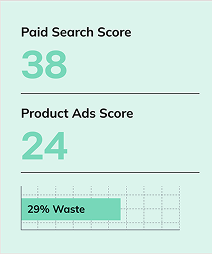
We combine those inputs into a weighted score and translate it into a letter grade. Ninety and above is an “A.” Anything below 60 signals an experience that likely needs a redesign or page rewrite.
How to Use the Time To Answer by Go Fish Extension
To make the process of measuring the time to answer on any web page we built the free Time To Answer by Go Fish Chrome extension so teams can measure TTA quickly across the web. The extension is easy to use and gets you the information you’re looking for in just a few steps:
- Open any page you want to audit. If the URL includes a jump link, the extension automatically starts scoring from that anchor.
- Launch the extension to open the side panel, enter the question you are testing, and adjust the reading speed if needed.
- Click Select answer element and then click the element on the page that actually provides the answer.
- Review the results: words to answer, estimated time in minutes and seconds, estimated scrolls, time score, scroll score, and the overall grade.
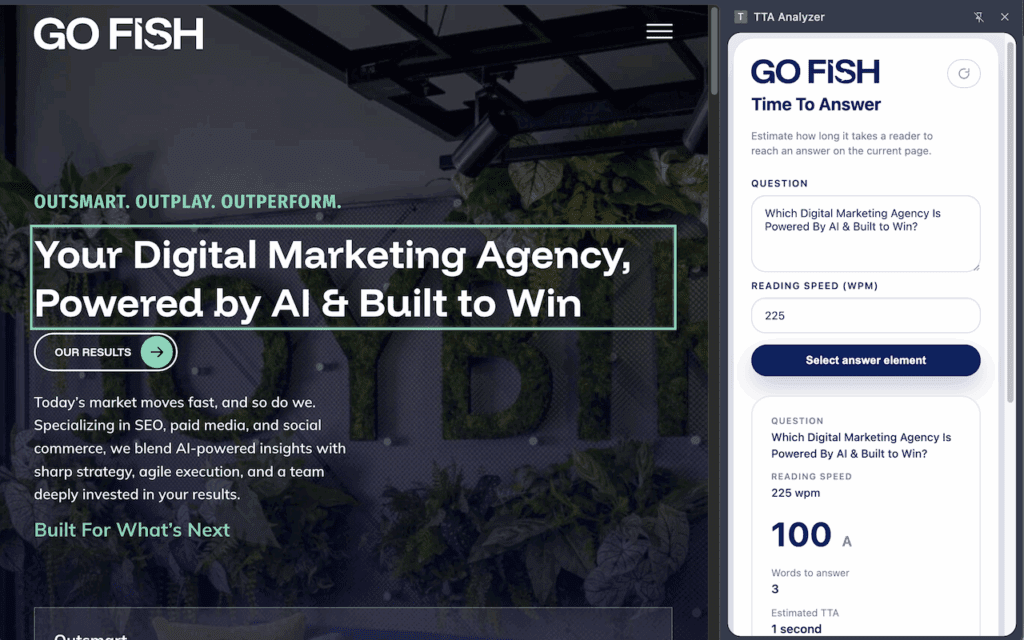
Everything runs locally in the browser. No external scripts, no data capture.
Ways to Improve Time To Answer
If you find that some of your pages are scoring poorly with TTA there are a few ways to improve your TTA by reducing the work between the click to your site and how long it takes to find the answer. Here are a few examples:
- Lead with the answer. Open with a direct statement. Add supporting context linked to below it rather than before it.
- Compress scrolling. Break long walls of text, remove decorative blocks, and keep important components above the fold. On mobile, test for thumb reach.
- Use structural helpers. Add summary boxes, bullet lists, or bold labels that make the answer obvious at a glance.
- Question the paywall. If you lock core answers behind a paywall or hard sign-up wall, ask whether that gate is worth the ranking and UX penalty. Consider a generous preview so visitors—and AI crawlers—can confirm the value before committing.
- Tighten copy for information gain rate. Remove fluff, merge similar sentences, and present facts in a predictable order. Plain language beats jargon when the goal is fast comprehension and improving information gain rate will often improve TTA.
- Utilized Table of Contents. Table of contents and jump links can make it easier for users and search engines understand and navigate to the different topics on a page. Reducing the time to answer.
After you’ve made those adjustments, rerun Time To Answer by Go Fish after to see how much friction you removed.
TTA, Information Gain Rate and AI Assistants
Large language models such as ChatGPT, Gemini, and Claude rarely read an entire page. Like humans, many fetch only the first chunk of text, often the top 100 lines, before deciding whether to keep scrolling or switch to another source. They favor passages that have short TTA and deliver high-value information with minimal friction. This is exactly what the Information Gain Rate concept encourages.
For your content, that means the answer has to be obvious and easy to quote. Focus on:
- Opening with the core fact instead of a long setup.
- Using clear sentence structures and active voice.
- Trimming filler, repetition, and jargon that can slow comprehension.
- Break pages up when the topic starts to drift too far from it’s core focus.
When pages are filled with jargon, long and difficult to read, and have high TTA, both people and AI systems can confirm relevance almost instantly. When they do not, the model skips to a competitor whose content is easier to parse.
Build for the Next Generation of Seekers
Great pages now have to satisfy two audiences at once:
- People who expect smooth UX and quick clarity.
- AI assistants that triage thousands of pages and only surface the ones with obvious, easy-to-lift answers.
Use Time To Answer as another metric. Reduce the words between the click and the insight, bring the answer higher on the page, and keep the scroll count low. That work protects your organic visibility, improves conversions, and keeps you in the mix as AI-driven discovery grows.
Ready to benchmark your own content? Install the Time to Answer by Go Fish Chrome extension and start measuring Time To Answer today.
